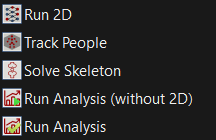
Analyze menu
Analyze menu
 Detect people in each of the loaded videos. When complete, boxes are drawn around the detected people in the video overlays if Show Boxes is selected in the Display menu. Video data and calibration must be loaded before running Run 2D.
***
## Track People
Detect people in each of the loaded videos. When complete, boxes are drawn around the detected people in the video overlays if Show Boxes is selected in the Display menu. Video data and calibration must be loaded before running Run 2D.
***
## Track People  Identify people across views (i.e., determine “who is who” in each of the views). Identification requires the person to be clearly visible in at least three views simultaneously. Each identified person is assigned a unique color that is applied to their boxes, segments, and skeleton. Run 2D must be completed before running Track People.
***
## Solve Skeleton
Identify people across views (i.e., determine “who is who” in each of the views). Identification requires the person to be clearly visible in at least three views simultaneously. Each identified person is assigned a unique color that is applied to their boxes, segments, and skeleton. Run 2D must be completed before running Track People.
***
## Solve Skeleton  Solve the 3D pose of each identified person. The kinematic model is scaled and the pose of the model is solved using inverse kinematics. A description of the model can be found in [Theia Model Description](/apollo-v2024/theia3d-documentation/theia-model-description.md). Refer to [Settings Menu](/apollo-v2024/theia3d-documentation/theia3d-dropdown-menus/settings-menu.md) for information about using a previously saved model to perform the inverse kinematics step. Track People must be complete before running Solve Skeleton.
***
## Run Analysis (without 2D)
Solve the 3D pose of each identified person. The kinematic model is scaled and the pose of the model is solved using inverse kinematics. A description of the model can be found in [Theia Model Description](/apollo-v2024/theia3d-documentation/theia-model-description.md). Refer to [Settings Menu](/apollo-v2024/theia3d-documentation/theia3d-dropdown-menus/settings-menu.md) for information about using a previously saved model to perform the inverse kinematics step. Track People must be complete before running Solve Skeleton.
***
## Run Analysis (without 2D)  Runs: Track People and Solve Skeleton. Run 2D must be completed.
***
## Run Analysis
Runs: Track People and Solve Skeleton. Run 2D must be completed.
***
## Run Analysis  **Shortcut: Ctrl + F**
Runs: Run 2D, Track People, and Solve Skeleton. Video data and calibration must be loaded.
---
# Agent Instructions
This documentation is published with GitBook. GitBook is the documentation platform designed so that both humans and AI agents can read, navigate, and reason over technical content effectively. Learn more at gitbook.com.
## Querying This Documentation
If you need additional information that is not directly available in this page, you can query the documentation dynamically by asking a question.
Perform an HTTP GET request on the current page URL with the `ask` query parameter, and the optional `goal` query parameter:
```
GET https://docs.theiamarkerless.com/apollo-v2024/theia3d-documentation/theia3d-dropdown-menus/analyze-menu.md?ask=
**Shortcut: Ctrl + F**
Runs: Run 2D, Track People, and Solve Skeleton. Video data and calibration must be loaded.
---
# Agent Instructions
This documentation is published with GitBook. GitBook is the documentation platform designed so that both humans and AI agents can read, navigate, and reason over technical content effectively. Learn more at gitbook.com.
## Querying This Documentation
If you need additional information that is not directly available in this page, you can query the documentation dynamically by asking a question.
Perform an HTTP GET request on the current page URL with the `ask` query parameter, and the optional `goal` query parameter:
```
GET https://docs.theiamarkerless.com/apollo-v2024/theia3d-documentation/theia3d-dropdown-menus/analyze-menu.md?ask=